Prioritizes sustained reading, hierarchy, and comfortable text texture.
Publishing mode
Design for the format that ships.
One manuscript can require three different typography decisions.
Current output
Print interior
Art-direct a durable reading system, then proof it at the final trim size on paper.
Production check
Before it leaves Type Scout
Live stress test
Publishing Proof Lab
—Add real copy
The Shape of Quiet Things23
Chapter three
The Shape of Quiet Things
Mara Bell
At the edge of town, the road narrowed into a ribbon of pale dust. Clara followed it past the empty orchard, carrying the letter she had promised herself she would never open.
Dial the character
Make it feel…3/3
Make it look…2/3
A warm, confident, sexy voice with a literate, unexpected appearance.
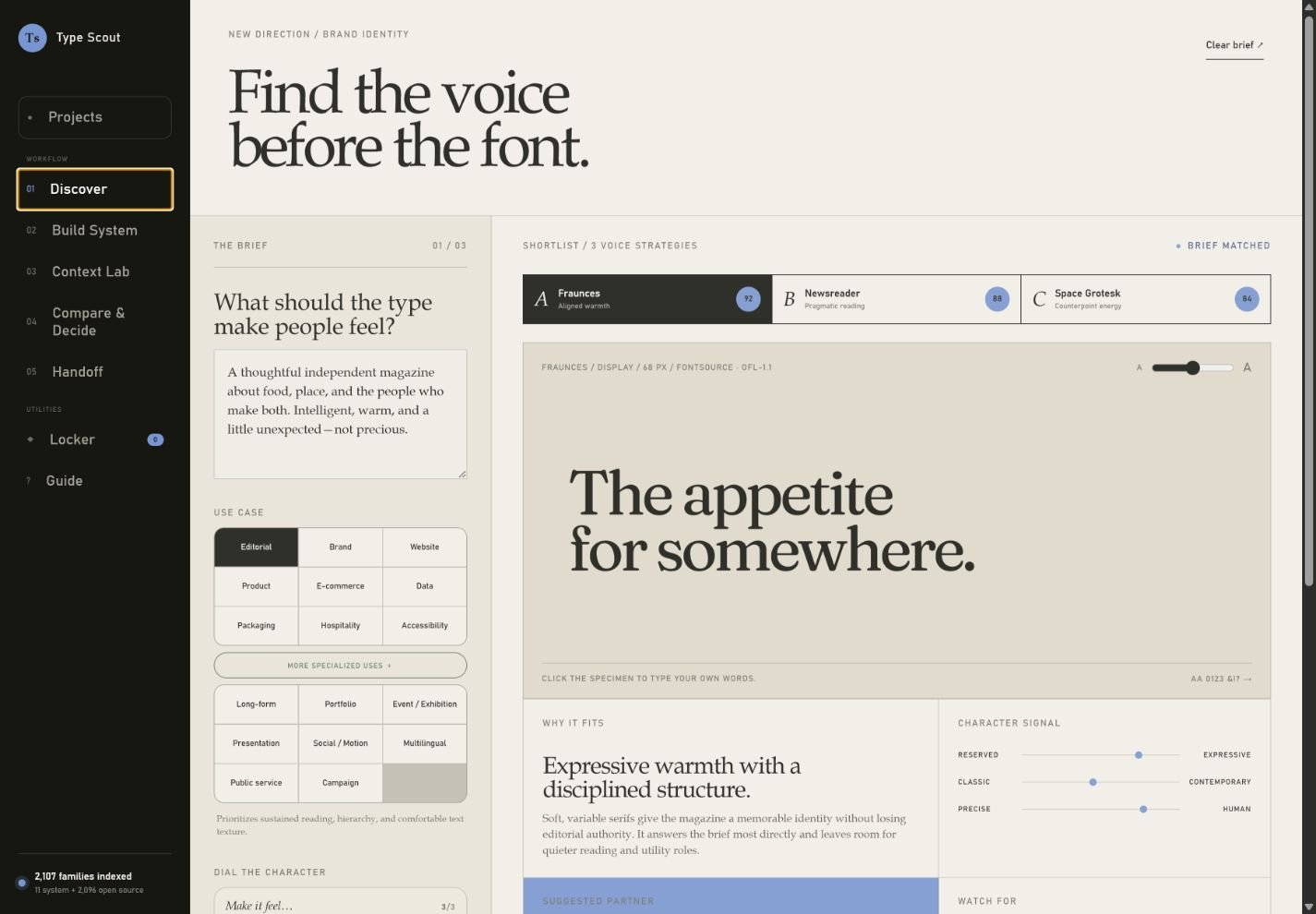
SHORTLIST / 3 VOICE STRATEGIESBrief matched
Fraunces / Display / 68 px / Fontsource · OFL-1.1
AA
The appetite for somewhere.
Why it fits
Cultured, without feeling formal.
Soft serifs and open counters give long-form stories authority while keeping the page inviting. Its italic adds a human, spoken quality for pull quotes.
Character signal
Reserved
Expressive
Classic
Contemporary
Precise
Human
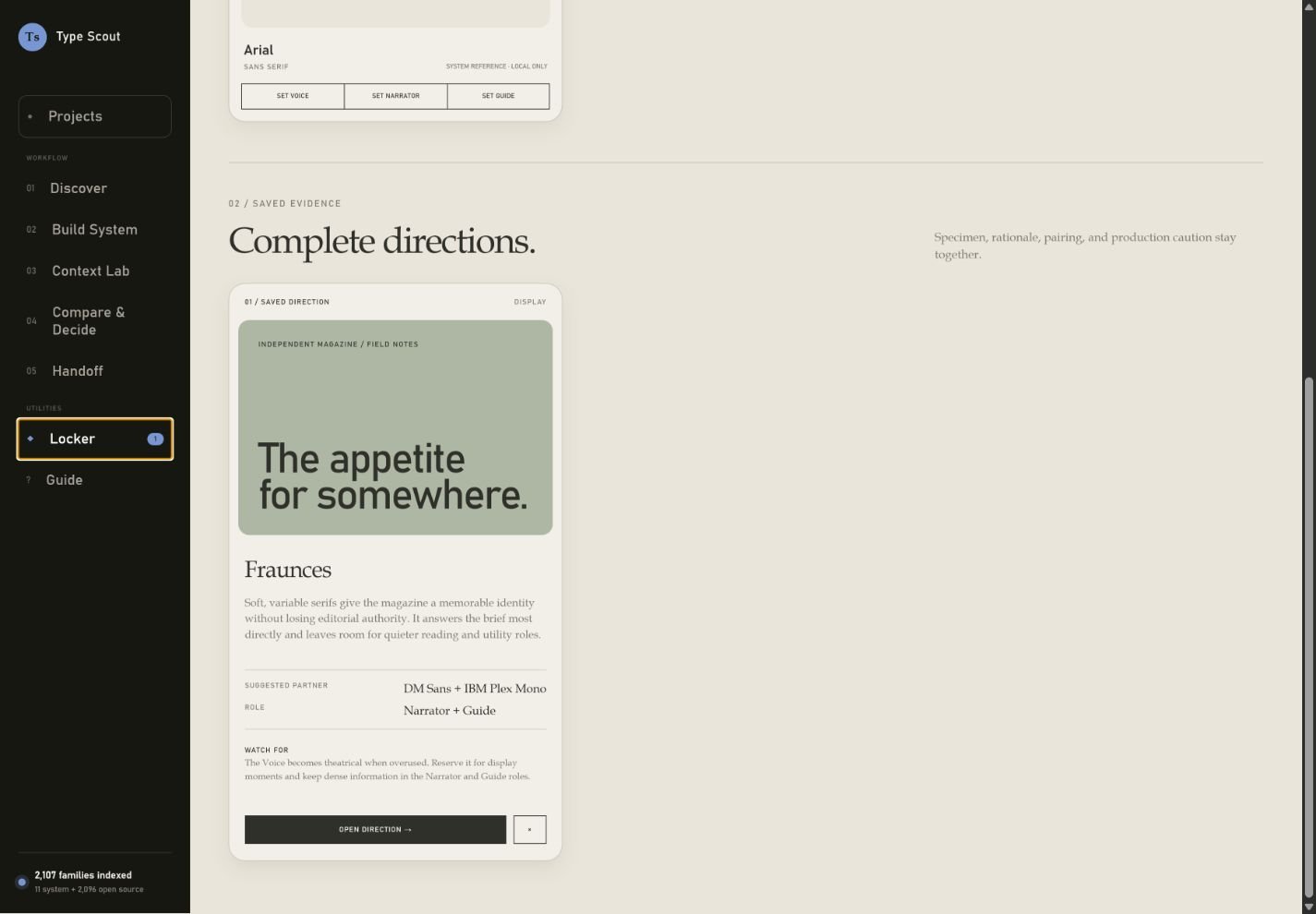
Suggested partner
Bahnschrift
Navigation, captions, recipes
FIELD NOTES 07
Watch for
The lightest weights lose texture below 16 px. Use the text cut or increase weight for recipes and captions.
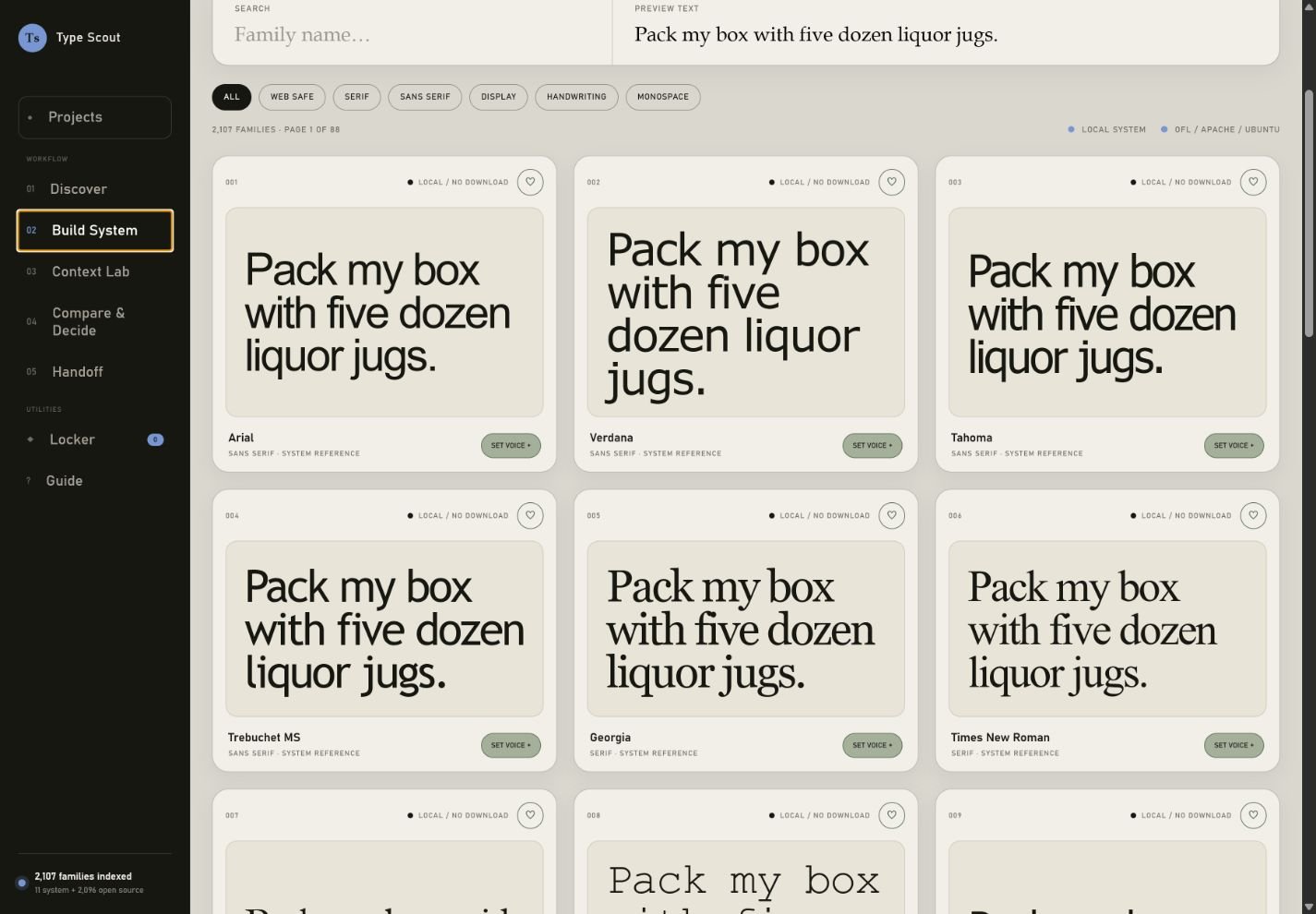
Font library / License-aware
1,900+ families. Zero guesswork.
System-safe stacks stay on the device. Open-source families load only when they enter the visible preview.
Connecting to the open-source catalog… Local system OFL / Apache / Ubuntu
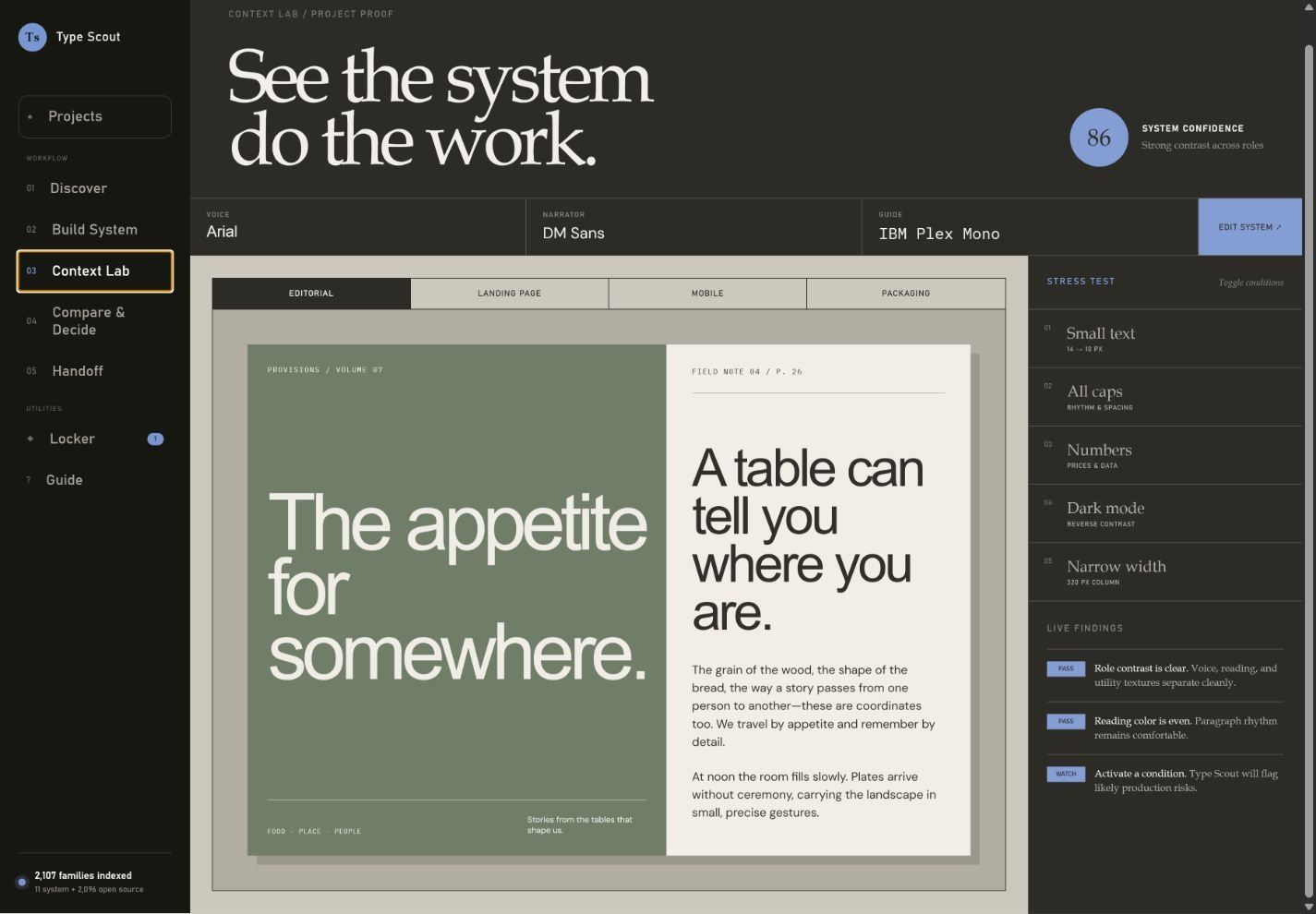
Context lab / Project proof
See the system do the work.
86
System confidenceStrong contrast across roles
VoiceFraunces
NarratorDM Sans
GuideIBM Plex Mono
PROVISIONS / VOLUME 07
The appetite for somewhere.
FIELD NOTE 04 / P. 26
A table can tell you where you are.
The grain of the wood, the shape of the bread, the way a story passes from one person to another—these are coordinates too. We travel by appetite and remember by detail.
At noon the room fills slowly. Plates arrive without ceremony, carrying the landscape in small, precise gestures.
ISSUE 12 · AUTUMN 2026FIELDWORK$12 / NEW YORK
THE LONG READ / PLACES
The city gets quiet at the edge of the market.
A morning with the growers, cooks, and regulars holding a small neighborhood economy together.
WORDS NORA LIPHOTOGRAPHS ELI PARK12 MIN READ
TUESDAY · SEPTEMBER 16, 2026THE CITY LEDGERVOL. 18 · NO. 224
NEIGHBORHOODS
The block that kept its corner store.
After a decade of turnover, a cooperative model gives a familiar storefront another future.
At seven each morning, the first delivery lands beneath the striped awning. By eight, the coffee is on and the news is moving from counter to counter.
Residents built the new plan around what the store already knew: who needs credit, which produce travels well, and when a conversation matters more than a receipt.
NEW SEASON / 04Luma ObjectMADE TO HOLD ITS PLACE
HOME / LIGHTING
Orbit Table Lamp
$280 $340
Hand-spun aluminum, cast glass, and a warm, dimmable pool of light for the room that keeps changing.
We built a flexible identity and editorial website for an institution whose program changes every week.
THE ASK
Make a complex program feel immediate without flattening its point of view.
THE SYSTEM
One distinctive display voice, a calm reading rhythm, and a precise operational layer.
42%MORE TIME WITH STORIES
A JOURNAL OF FOOD AND PLACE
Come hungry. Leave knowing more.
Independent stories about the people who shape how—and where—we eat.
ISSUE 07 24 STORIES / 11 PLACES
COMMON TABLEMENU
NEW STORY / 08 MIN
The quiet work of feeding everyone.
Before the doors open, there is a choreography few people see.
READ STORY →
SMALL BATCH / LOT 0728
Field & Table
Stone-milled heritage grain from the northern valley.
NET WT. 500 G / 17.6 OZ
GROWN GROUND SHARED
0123456789 $1,280.50 07:45 ½ ¾ %
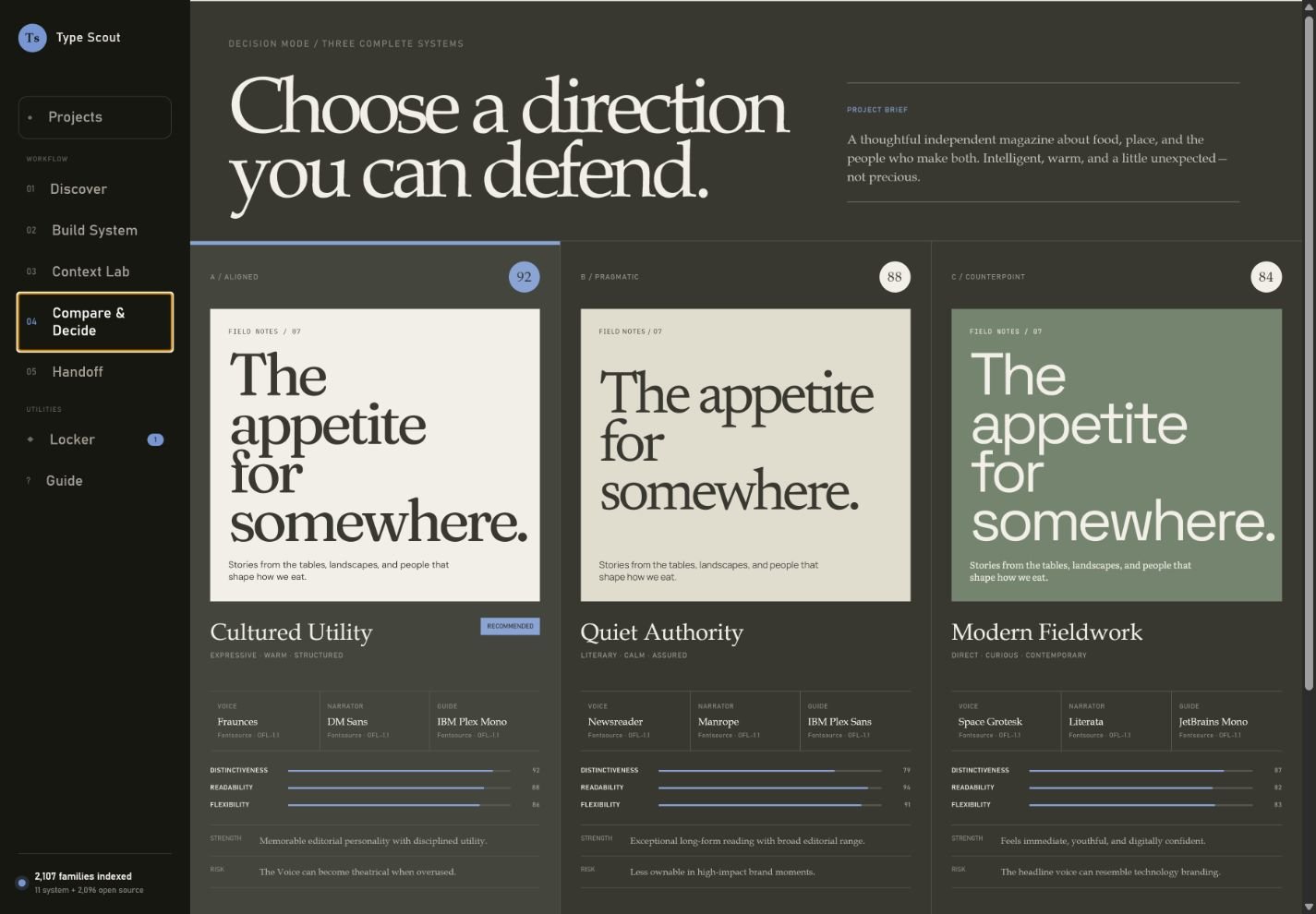
Decision mode / Three complete systems
Choose a direction you can defend.
Project brief
Thoughtful independent magazine about food, place, and makers. Intelligent, warm, and slightly unexpected.
A / ALIGNED92
FIELD NOTES / 07The appetite for somewhere.
Stories from the tables, landscapes, and people that shape how we eat.
Cultured Utility
Expressive · Warm · Structured
Recommended
VoiceFrauncesFontsource · OFL-1.1
NarratorDM SansFontsource · OFL-1.1
GuideIBM Plex MonoFontsource · OFL-1.1
Distinctiveness92
Readability88
Flexibility86
StrengthMemorable editorial personality with disciplined utility.
RiskThe Voice can become theatrical when overused.
B / PRAGMATIC88
FIELD NOTES / 07The appetite for somewhere.
Stories from the tables, landscapes, and people that shape how we eat.
Quiet Authority
Literary · Calm · Assured
VoiceNewsreaderFontsource · OFL-1.1
NarratorManropeFontsource · OFL-1.1
GuideIBM Plex SansFontsource · OFL-1.1
Distinctiveness79
Readability94
Flexibility91
StrengthExceptional long-form reading with broad editorial range.
RiskLess ownable in high-impact brand moments.
C / COUNTERPOINT84
FIELD NOTES / 07The appetite for somewhere.
Stories from the tables, landscapes, and people that shape how we eat.
Modern Fieldwork
Direct · Curious · Contemporary
VoiceSpace GroteskFontsource · OFL-1.1
NarratorLiterataFontsource · OFL-1.1
GuideJetBrains MonoFontsource · OFL-1.1
Distinctiveness87
Readability82
Flexibility83
StrengthFeels immediate, youthful, and digitally confident.
RiskThe headline voice can resemble technology branding.
Chosen direction
Cultured Utility
Fraunces / DM Sans / IBM Plex Mono
Client review / Public link
Share the decision, with the evidence attached.
Publish a direction report with role assignments, scores, rationale, and recorded source and license labels. A recipient can approve it or send one focused revision note; anyone with the link can view it until you revoke it.
Sign in before publishing so only you can manage or revoke the link.
Developer handoff / CSS
Font locker / Persistent project memory
Keep the families worth returning to.
Favorite fonts00
Saved directions00
Favorites keep the source and license attached. Directions retain the reasoning behind a complete system.
01 / Favorite families
Your font locker.
♡
No favorite fonts yet.
Tap the heart on any Library card to keep the family here.
02 / Saved evidence
Complete directions.
Specimen, rationale, pairing, and production caution stay together.
Aa
The shelf is empty
Start with one direction worth remembering.
Save a direction to keep its rationale, pairing, and specimen together.
Project studio / Typography doctor
From diagnosis to shipped system.
Project health86
Production ready with two cautions
Choose a path
What are you working on?
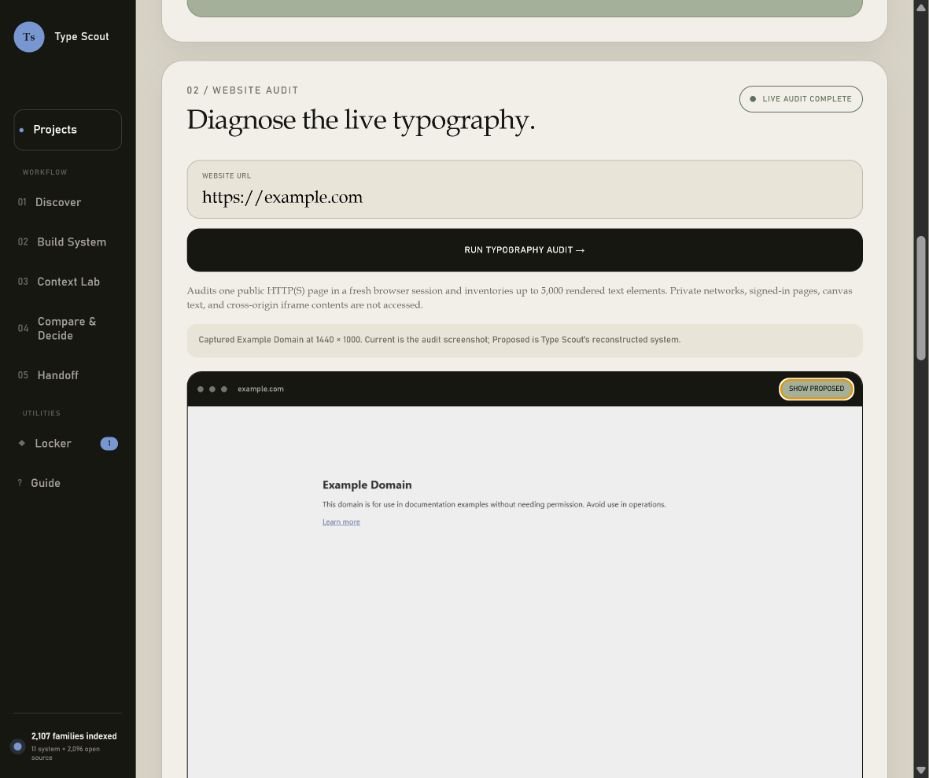
02 / Website audit
Diagnose the live typography.
Live audit service ready
Audits up to five ordinary same-origin pages in a fresh browser session and inventories up to 5,000 rendered text elements per page. Private networks, signed-in pages, mutation-like routes, canvas text, and cross-origin iframe contents are not accessed.
Enter a public page to inspect its rendered families, sizes, leading, measure, contrast, font loading, and payload.
example.com
Waiting for rendered evidence
Run a live audit to see the typography.
Type Scout will place representative copy from the audited page into this before-and-after proof.
123
—Health score
No rendered evidence collected yet.
Copy originality / Pattern review
Find the phrases any brand could say.
This reviews rendered writing patterns—it does not identify authorship.
—Specificity
Clarity / Reading stress test
Make the meaning easier to carry.
Approximate English-language measures, supported by exact evidence.
—Clarity
Audit record / Handoff
Keep the evidence useful after the review.
Saved records retain computed findings and page samples, not captured screenshots. Font presence remains evidence of use—not proof of licensing rights.
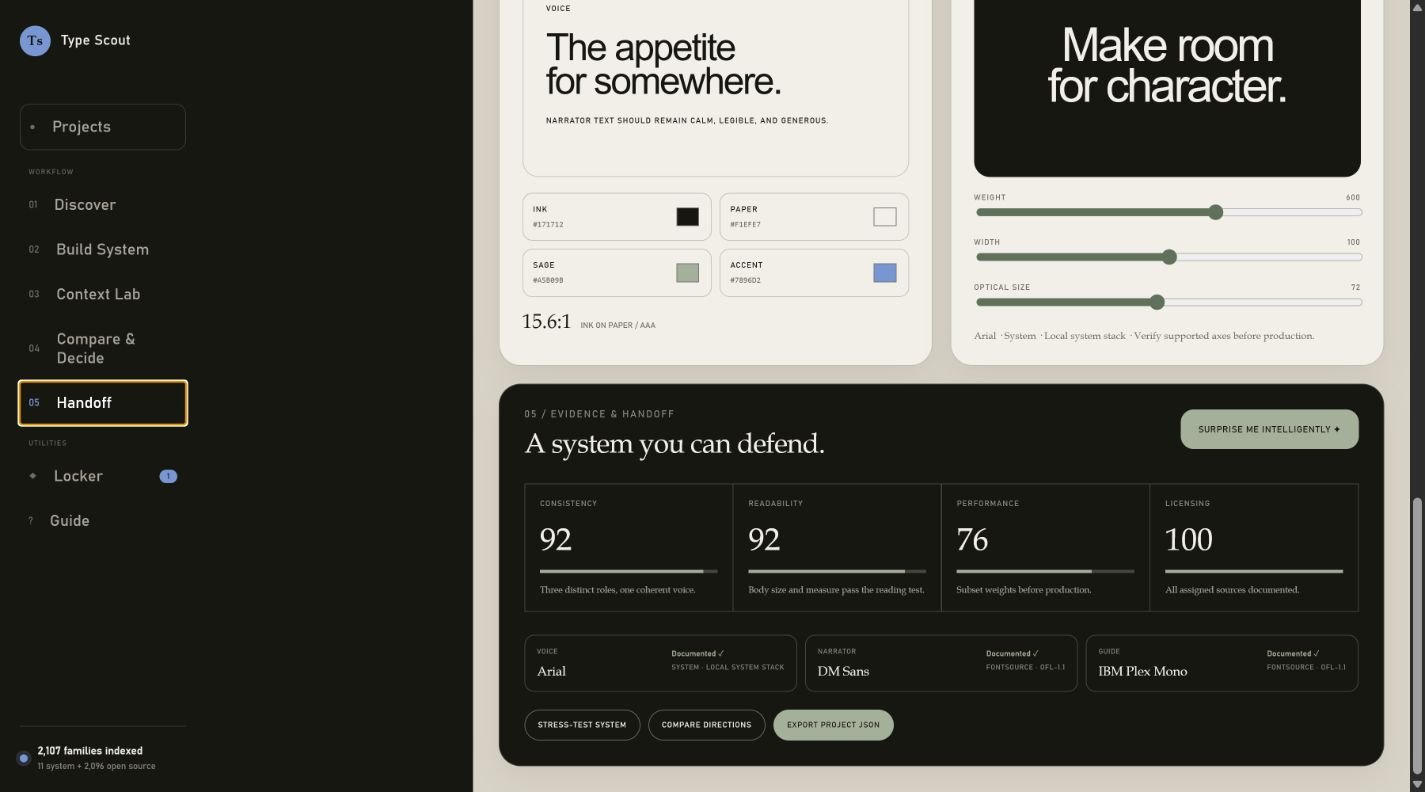
The appetite for somewhere.
Narrator text should remain calm, legible, and generous.
Read the story →Issue 07
12.8:1Ink on paper / AAA
04 / Variable font playground
Find the useful range.
Make room for character.
Safe display range · Strong at 48–96 px · Check counters below 18 px.
05 / Emphasis & hierarchy
Give every change of voice a reason.
Selected familyFraunces
Loading the verified weight and style range…
RegularA detail worth noticing.
ItalicA detail worth noticing.
StrongA detail worth noticing.
Use emphasis to create meaning—not decoration. Never rely on weight or italic alone to communicate essential information.
Emphasis budget / Real copy
Make the signal rarer than the message.
—Add copy
Testing Voice
Hierarchy map / Current project
Four levels. Three deliberate roles.
Scale and spacing establish order before bold or italic enters the system.
06 / Evidence & handoff
A system you can defend.
Consistency92Three distinct roles, one coherent voice.Readability88Body size and measure pass the reading test.Performance—Build a resilient fallback plan.Licensing100All assigned sources documented.Coverage—Choose a required language.
Subset metadata is evidence, not a guarantee. A visible character can come from a fallback font.
Failure state / Layout resilience
Design the moment the font does not load.
Width difference is a layout-risk heuristic, not a Core Web Vitals measurement. Confirm real line wrapping after production font files, weights, and loading behavior are configured.
Web delivery / Focused variants
Load only what the system uses.
0Variant imports
Install commandNo packages required
Review generated imports
Accessibility proof / Real content
Enlarge it. Space it. Try to break it.
—Design-proof score
ORDER 1I0O · 08:30 · $18.50
Illusion or information?
VoiceIl1 O0 rn m cl d b p qNarratorIl1 O0 rn m cl d b p qGuideIl1 O0 rn m cl d b p q
This lab supports review; it cannot certify WCAG conformance. WCAG does not prescribe a universal minimum font size, and ambiguous-letter clarity still requires human judgment.
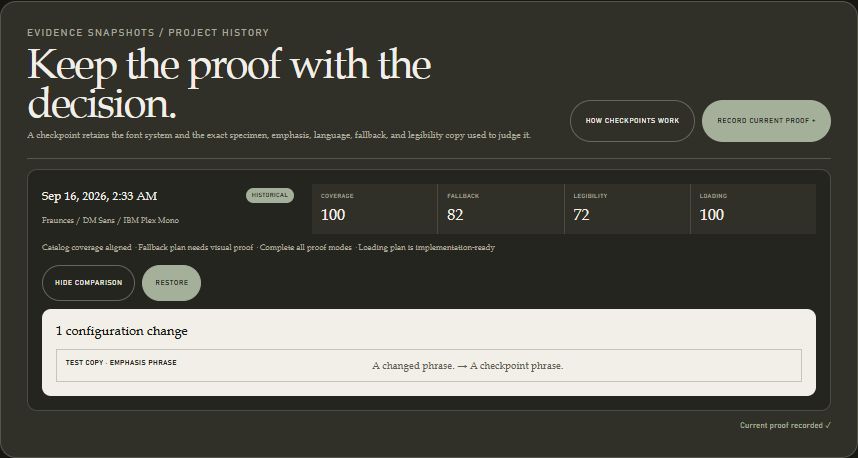
Evidence snapshots / Project history
Keep the proof with the decision.
A checkpoint retains the font system and the exact specimen, emphasis, language, fallback, and legibility copy used to judge it.
Production kit / ZIP handoff
One download. No missing decisions.
Package implementation tokens and evidence without redistributing font files.
CSS
JSON
Sources
Coverage
Fallbacks
Checklist
Document audit / Private by design
Read the system behind the pages.
Diagnose hierarchy, font sprawl, sizing, and emphasis in Word documents and text-based PDFs.
Local analysisYour file stays in this browser.Nothing is uploaded or saved automatically.
THE SOURCE01 / 03
DOCX Reads styles, direct formatting, fonts, sizes, bold, and italic.
PDF Reads the final positioned text and embedded font names.
SCAN Image-only PDF pages can use an optional local OCR pass.
01
Typography evidence will appear here.
Upload a document to map its visual vocabulary and identify the changes that will make it more coherent.
Audit complete
Document
Typography inventory ready.
—Health score
Pages—
Families—
Size levels—
Emphasized text—
Page 1
03 / Originality check
Find the copy that sounds interchangeable.
Pattern review only—never an authorship verdict.
—Specificity
04 / Clarity check
Stress-test the reading experience.
Approximate English-language measures, supported by exact evidence.
—Clarity
OCR rescue / Image-only pages
Recover the words without inventing the font.
OCR runs locally for up to ten scanned pages. It can recover text and approximate scale, but it cannot identify a typeface, true weight, italic, or licensing status.
OCR language data downloads only when you start this optional pass.
05 / Prescription
Turn findings into a usable system.
Recommendations connect the evidence to the project’s Voice, Narrator, and Guide roles.
06 / Repair plan
Translate the evidence into styles.
Evidence confidence
Copy-ready handoff
Document style specification
A practical starting system for Word, layout software, or a design-system handoff.
Type Scout field manual / 21 steps
Choose with evidence. Ship with confidence.
A visual walkthrough from the right project path to a licensed, tested, exportable typography system.
VoiceHeadlines & identity
NarratorReading & stories
GuideLabels, navigation & data
Chapter 01 / Choose the path
Start with the work in front of you.
01
Create or resume a project.
Projects is the starting dashboard. Search by project name, memory, or brief, then sort the working set by recent activity or name. Record audience and constraints in Project Memory; brief, memory, and decision-note edits autosave locally. Export one project or the complete workspace as portable JSON; workspace imports identify exact matches, add only distinct projects, or safely replace the browser copy. Sign in to keep a server copy: Local changes means this browser is newer, Server changes means the account copy is newer, and Server current confirms both match. Before a replacement, compare both copies; the previous browser workspace remains available through Undo last workspace replacement.
02
Choose the correct entry path.
Select Create a type system for a new direction, or Audit a website when existing typography needs to be diagnosed first.
03
Establish the baseline.
For an audit, enter the URL, choose a one-, three-, or five-page scope, review overall consistency, then inspect each page. Export JSON or Markdown, or sign in to save and selectively publish the evidence.
Projects + Live audit Compare overall consistency with page-level rendered evidence
Chapter 02 / Discover
Define the direction before collecting fonts.
04
Write the brief and choose the use case.
Describe what the typography should make people feel, then select the environment where it must perform.
05
Dial feeling and appearance.
Choose up to three emotional traits and three visual traits. Use the live sentence to check whether the direction still sounds coherent.
06
Scout three directions with your words.
Replace the display specimen with real project copy and tune its size. The specimen stays with the active project, so each direction can be judged against the words it must actually carry. Read Why it fits and Watch for, then save only the distinct Voice strategies worth building into complete systems.
Discover Brief → use case → feeling → appearance → three directions
Chapter 03 / Build the system
Give every family a specific job.
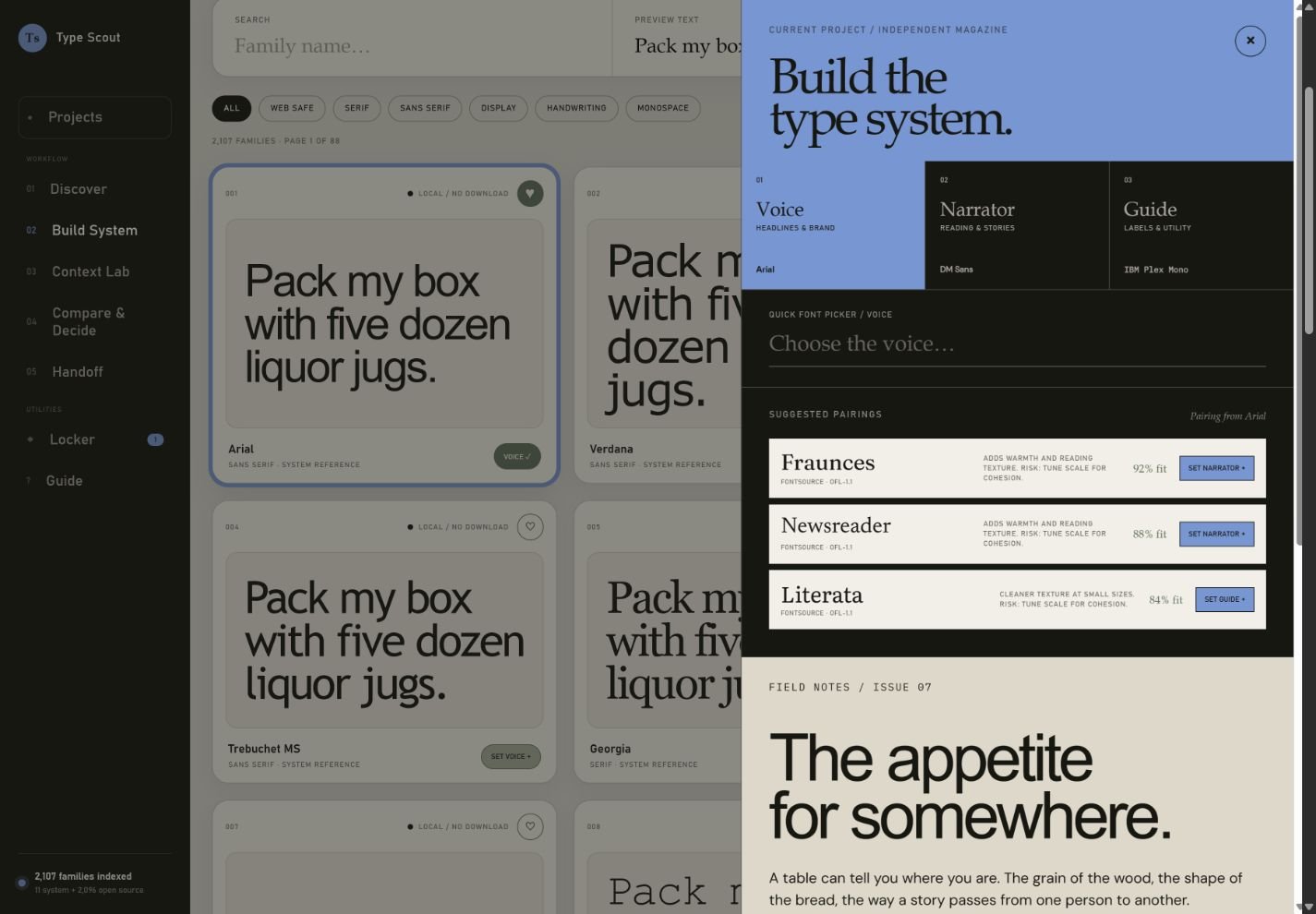
07
Open Build System.
Search or filter the library, enter real preview text, and move through numbered pages. Choose Script & handwriting to compare the curated Parisienne, Caveat, and Yellowtail systems. Use Script Fit Test to check size, capitalization, a 320 px layout, reverse contrast, and license evidence before applying a system.
08
Assign the three roles.
Set a Voice for expression, a Narrator for sustained reading, and a Guide for navigation, labels, data, and utility text. A Script Voice preset applies all three roles together while keeping script out of body and interface text.
09
Tune the scale.
Adjust display, body, utility, and reading measure. Review pairing fit, production risk, and licensing before accepting the system.
The selected use case opens the closest working context. Inspect Editorial, Magazine, Newspaper, E-commerce, SaaS dashboard, Case study, Landing Page, Mobile, and Packaging as the project requires.
11
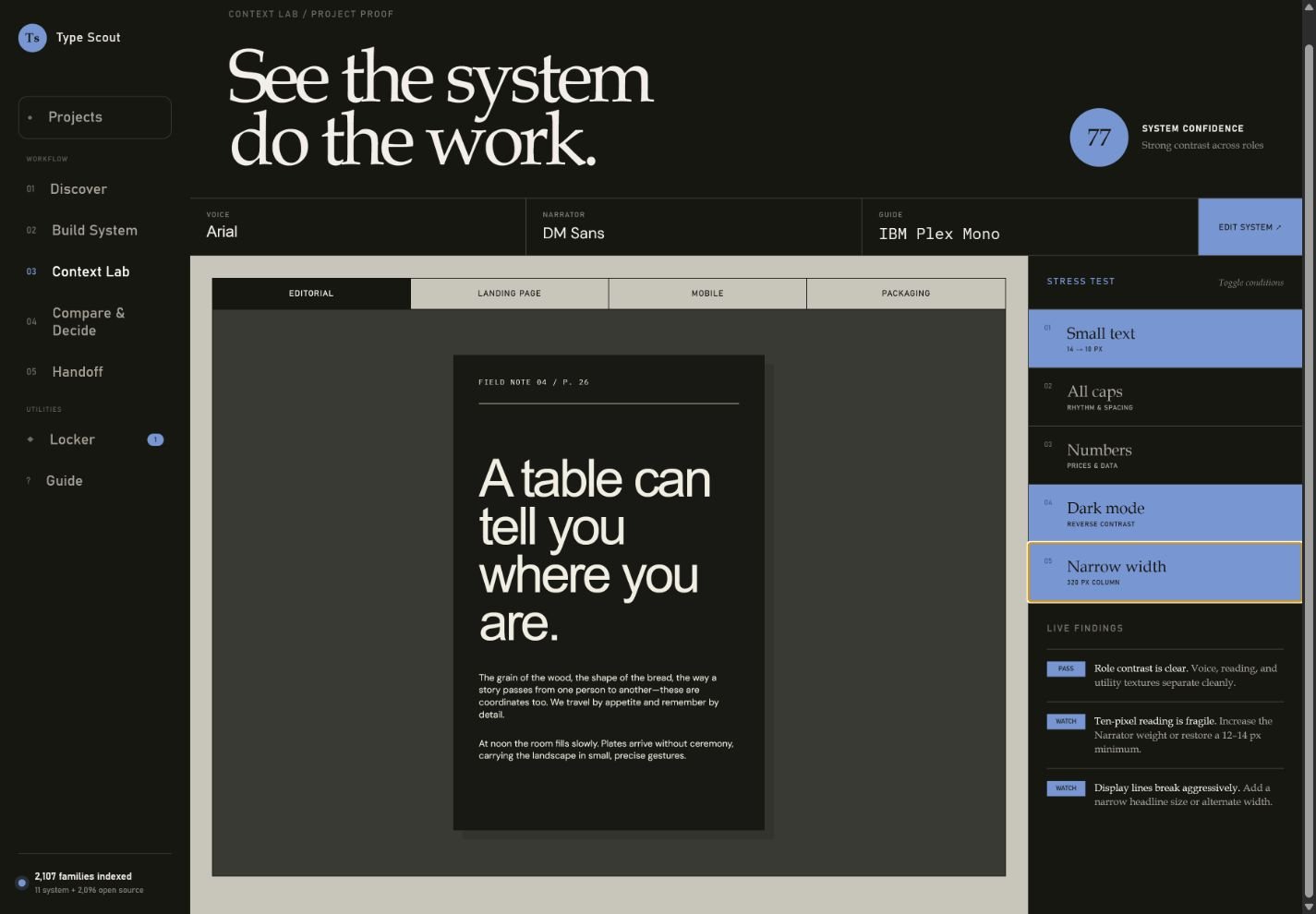
Run stress conditions.
Test dark backgrounds, narrow widths, all caps, small text, and dense content. Fix role or scale problems rather than hiding them.
12
Compare and decide.
Open Compare & Decide only after the roles and stress tests are ready. Choose the strongest complete system and record its tradeoff.
Context Lab See the complete system doing real work.Stress tests Reveal failure points before production.
Chapter 05 / Documents, voice & emphasis
Audit the page, then remove the generic.
13
Audit a Word document or PDF.
Open Document Audit and choose a DOCX or text-based PDF. The file stays in the browser while Type Scout maps families, sizes, hierarchy, bold, and italic usage.
14
Read evidence before recommendations.
Review the page or document excerpt, font inventory, emphasis percentage, and severity-labeled findings. For image-only PDF pages, run the optional local OCR pass and treat recovered text as lower-confidence evidence.
15
Run Originality Check.
Review interchangeable phrases, the exact passages where they appear, why they weaken specificity, and concrete alternative directions. Treat it as a pattern review—not proof of AI authorship.
16
Stress-test clarity.
Use sentence length, approximate reading grade, passive construction, dense paragraph, repeated-opening, and abstract-language evidence to find unnecessary reading effort. Copy the result as an editing brief.
17
Apply the repair plan.
Use the current → recommended map for display, heading, body, labels, and emphasis. Copy or download the exact style specification for Word, layout software, or a design-system handoff.
18
Define emphasis and proof with real copy.
In Projects, test a real emphasis phrase and marked-up paragraph, then replace the language, fallback, and legibility samples with project content. These fields autosave with the active project and travel through project JSON, complete-workspace export, and account sync. Confirm genuine weights and italics for Voice, Narrator, and Guide before handoff.
Evidence + clarityType and reading load
Measure typography, sentence rhythm, density, and approximate reading grade.
OriginalityPattern + alternative
Find interchangeable writing and replace it with specific evidence.
Repair planCurrent → recommended
Translate evidence into role, family, size, weight, and style changes.
Chapter 06 / Decide & hand off
Record the decision, not just the winner.
19
Open Handoff.
Refine the palette and useful variable-font range, then review consistency, readability, performance, licensing, fallback behavior, and the focused Fontsource loading plan.
20
Record, compare, and restore the proof.
Confirm all three roles, sources, licenses, emphasis rules, language subsets, fallback behavior, contrast targets, and every Legibility Lab mode. Record current proof to preserve both the design configuration and its exact test copy. Compare shows every changed role, color, scale, fallback, language profile, or sample. Restore first creates a safety checkpoint, then returns the selected configuration and copy while clearing live proof status for honest retesting.
21
Export and retain the work.
Rename, duplicate, or export the active project directly in Project Manager. Import a project JSON to restore it—with its decision note and validated proof history—as a separate local project. Export CSS tokens, HTML or PNG boards, or a printable review from Handoff; use Locker for useful families; and save an explicit server copy when the browser workspace should follow you.
Proof history Record, compare, and safely restore the evidence.Compare & Decide Choose the system and record the tradeoff.Handoff Evidence, licensing, palette, and exportLocker Keep useful families and saved directions.
Privacy choice
Keep the tools free, on your terms.
Type Scout uses essential storage for projects and sign-in. Anonymous usage analytics and advertising are optional and remain off until you allow them.